
How to Place an Order
A simple step-by-step guide to ordering your sneakers from our website.
Find Your Sneakers
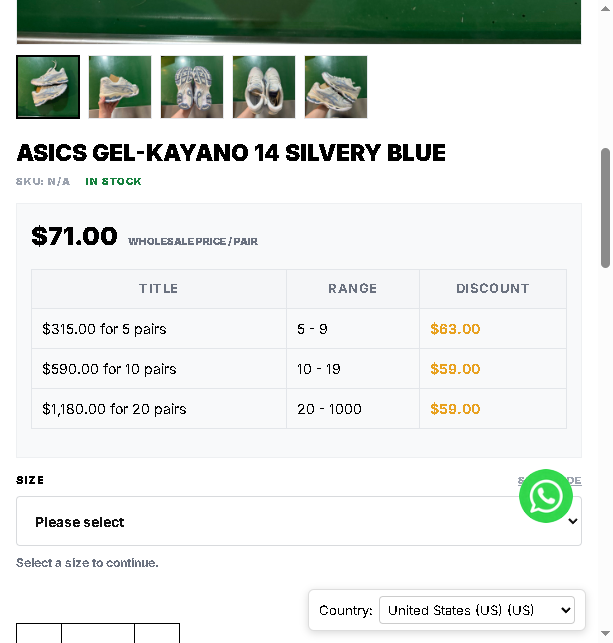
Browse our site and open the product you like. You will see the single-pair price and the wholesale price table for bulk orders (5+, 10+, 20+ pairs).
Select Your Size
Choose your size from the SIZE dropdown menu. Once selected, it will show “Selected size” below the dropdown. You can clear it anytime with the CLEAR button.

Add to Cart
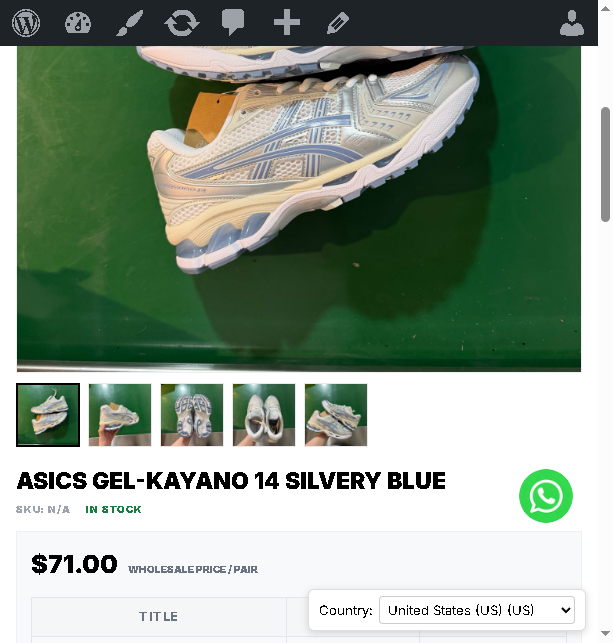
Adjust the quantity with the − / + buttons, then click ADD TO CART. A confirmation message will appear: “…has been added to your cart.”
Review Your Cart
Click the cart icon to review your order. Check the style, size, quantity and price of each item before checkout.

Go to Checkout
On the checkout page you will see a secure order summary, and the option to enter a coupon code if you have one.

Apply Your Coupon (Optional)
Click “Have a coupon? Click here to enter your code”, type your code and press APPLY COUPON. The discount will be shown in your order summary.

Fill in Your Shipping Details
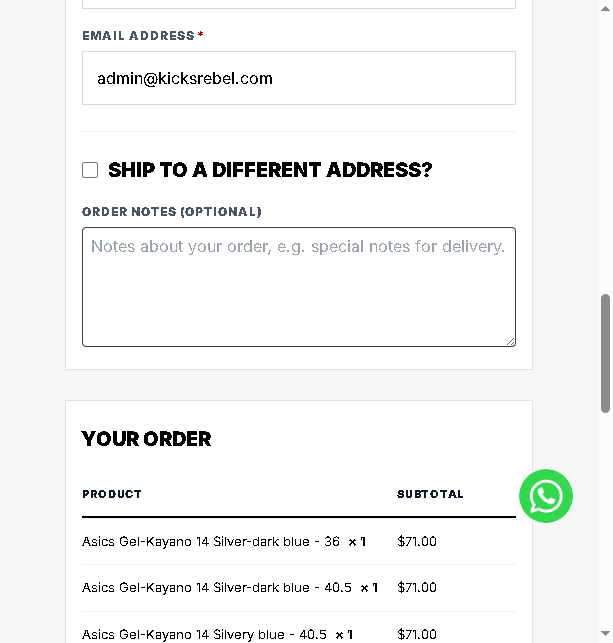
Complete all * required fields: Country/Region, Street Address, Town/City, State, ZIP Code and Phone. Make sure the address is complete and correct.

Review Your Order
Check the item list, coupon discount and shipping cost. Shipping is FREE on all orders. You can also leave order notes (e.g. special delivery instructions).
Choose Payment & Place Order
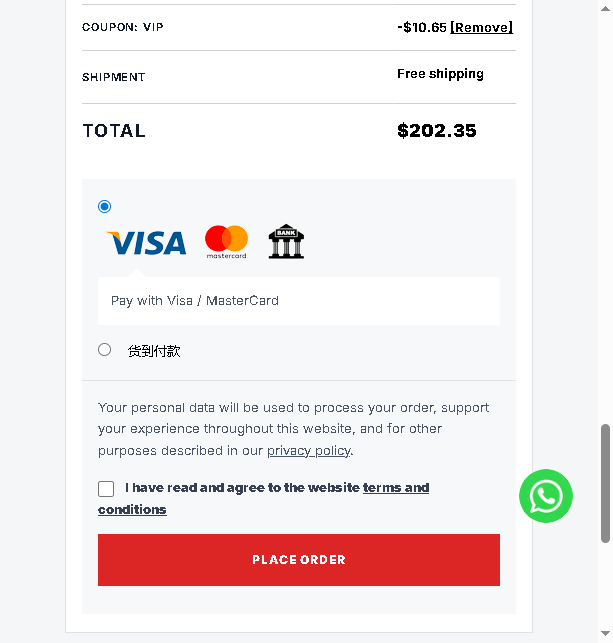
Select your payment method (Visa / MasterCard or Cash on Delivery), tick the terms checkbox, then click the red PLACE ORDER button to submit your order.
Need help or ordering in bulk?
Contact us on WhatsApp — we reply fast and can help you with any order.
Chat on WhatsApp